# Quick start
## Get your API keys
Your API requests are authenticated using the API key. Any request that doesn't include an API key will return an error.
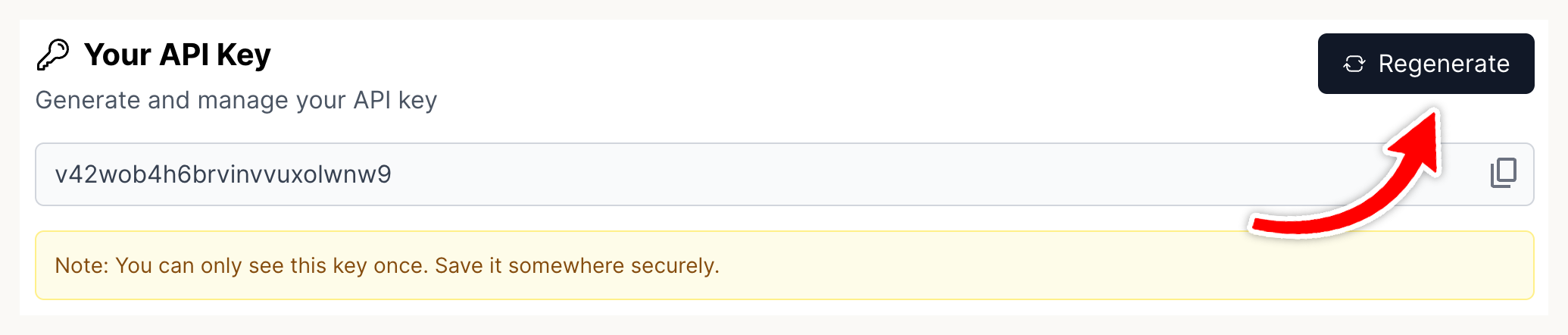
You can generate an API key from your [Developer](https://pdf.ai/developer) page at any time.
{% hint style="info" %}
Your API key is shown only **once** when it is generated. Make sure to note it down securely. If you lost it you can regenerate it again from the same page.
{% endhint %}
## Make your first request
#### Example Parse Request
To make your first API request, use the following command to parse a document:
```javascript
// Using URL
const formData = new FormData();
formData.append('url', 'https://example.com/document.pdf');
formData.append('quality', 'standard');
formData.append('lang_list', JSON.stringify(['en']));
formData.append('llm', 'false');
const response = await fetch('https://pdf.ai/api/v2/parse', {
method: 'POST',
headers: {
'X-API-Key': 'YOUR_API_KEY'
},
body: formData
});
const data = await response.json();
```
#### Example Response
Upon a successful request, you will receive a JSON response similar to:
```json
{
"success": true,
"markdown": "string",
"contents": [
{
"bbox": [number, number, number, number], // [x0, y0, x1, y1]
"content": "string",
"pageNumber": number,
"type": "string (optional)",
"imageIds": ["string"] (optional),
"conf": number (optional),
"description": "string (optional)"
}
],
"images": [
{
"id": "string",
"data": "string",
"pageNumber": number (optional),
"bbox": [number, number, number, number] (optional),
"description": "string (optional)"
}
],
"pageCount": number
}
```